1. Introduce
- Modern applications are integrating with Large Language Models (LLMs) to build AI solution.
- The AI model’s response will be more context-ware if we provide it external source like databases, file systems, pictures ,…
- MCP provides a standard way to connect AI-powered applications with external data sources.
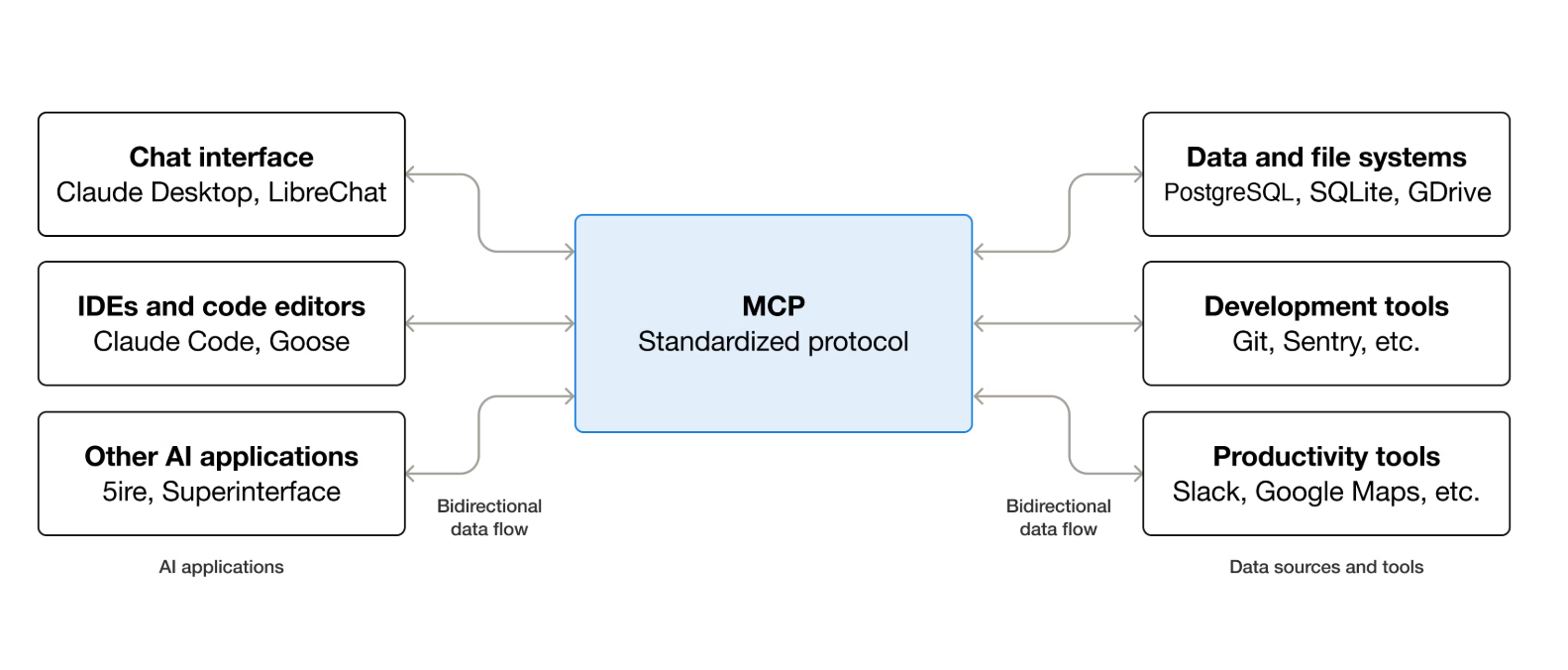
2. Model Context Protocol
-
Components overview:
-
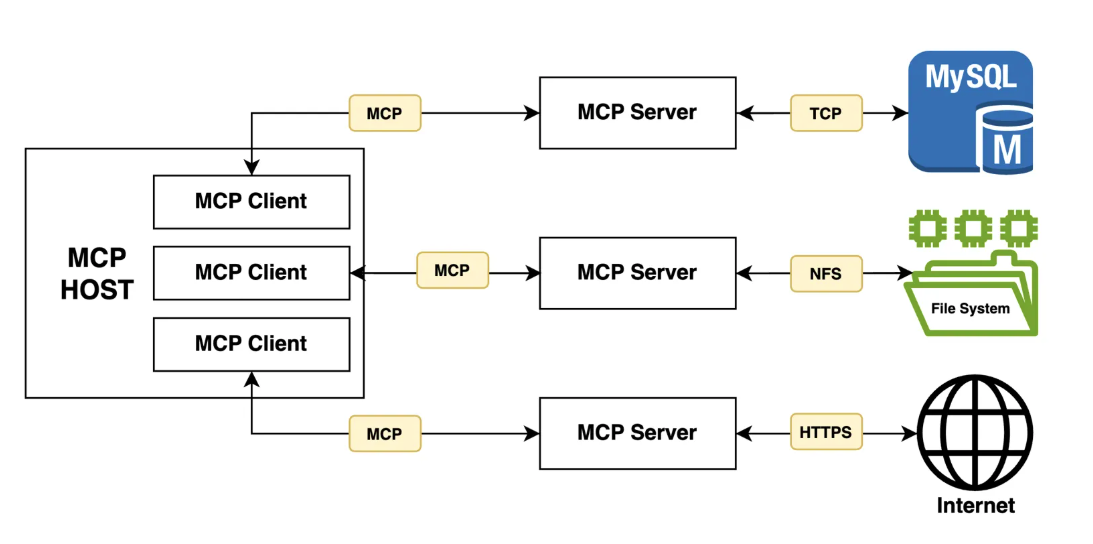
MCP follows a client-server architecture, that included:
-
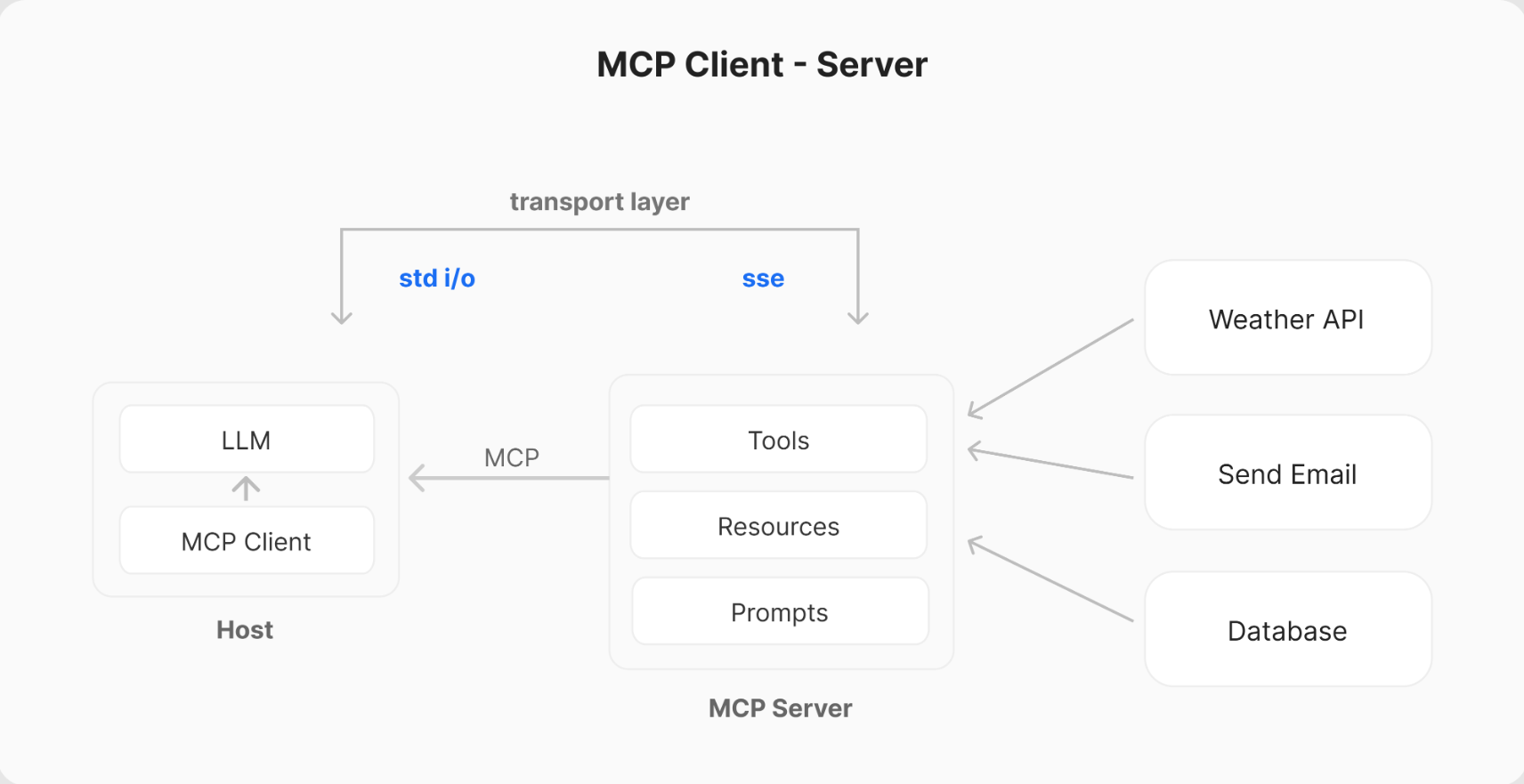
MCP provides two transport channels, with many transport types:
stdio: to enable communication through standard I/O streamsSSE: HTTP- …
-
MCP Host: is the main application that integrates with an LLMs and required to connect with external data source. e.g. You’re coding in Cursor and type: “Refactor this function and run tests.” - Cursor = Host
-
MCP Client: are components that establish/manage and maintain 1-1 connection with MCP servers e.g. Claude wants to read a file -> File system client. Git client .. (basically, we don’t see them) -> call MCP Server read_file.
-
MCP Servers: are components that integrate with external data sources. They are the external programs that expose Tools, Resources and Prompts via API to the API model via Client. e.g. Filesystem MCP Server
- Tools: functions that LLMs can call to perform specific actions. e.g. read_file(path) write_file(path, content) list_directory(path)
- Resources: data source that LLMs can access e.g. file:///src/auth/login.ts, file:///tests/login.test.ts
- Prompts: pre-defined templates to use tools or resource in the most optimize way. e.g.prompt: refactor_typescript_project, prompt: fix_failing_tests
3. Flow
- Here’s a simplified flow
1. Initialization: When a Host application starts it creates N MCP Clients, which exchange information about capabilities and protocol versions via a handshake.
2. Discovery: Clients requests what capabilities (Tools, Resources, Prompts) the server offers. The Server responds with a list and descriptions.
3. Context Provision: The Host application can now make resources and prompts available to the user or parses the tools into a LLM compatible format, e.g. JSON Function calling
4. Invocation: If the LLM determines it needs to use a Tool (e.g., based on the user's request like "What are the open issues in the 'X' repo?"), the Host directs the Client to send an invocation request to the appropriate Server.
5. Execution: The Server receives the request (e.g., fetch_github_issues with repo 'X'), executes the underlying logic (calls the GitHub API), and gets the result.
6. Response: The Server sends the result back to the Client.
7. Completion: The Client relays the result to the Host, which incorporates it into the LLM's context, allowing the LLM to generate a final response for the user based on the fresh, external information.